Overview
7 Days Free Trial
Build Faster in Blender with QPanels
Instant access to more than 1000 Blender panels and 700 menus with a single shortcut. Also works with panels from your installed add-ons. No hunting, no digging through menus — just press a key.
Overview
7 Days Free Trial
Build Faster in Blender with QPanels
Instant access to more than 1000 Blender panels and 700 menus with a single shortcut. Also works with panels from your installed add-ons. No hunting, no digging through menus — just press a key.
MAIN FEATURES
Everything You Need for a Faster Blender Workflow
3 Display Modes
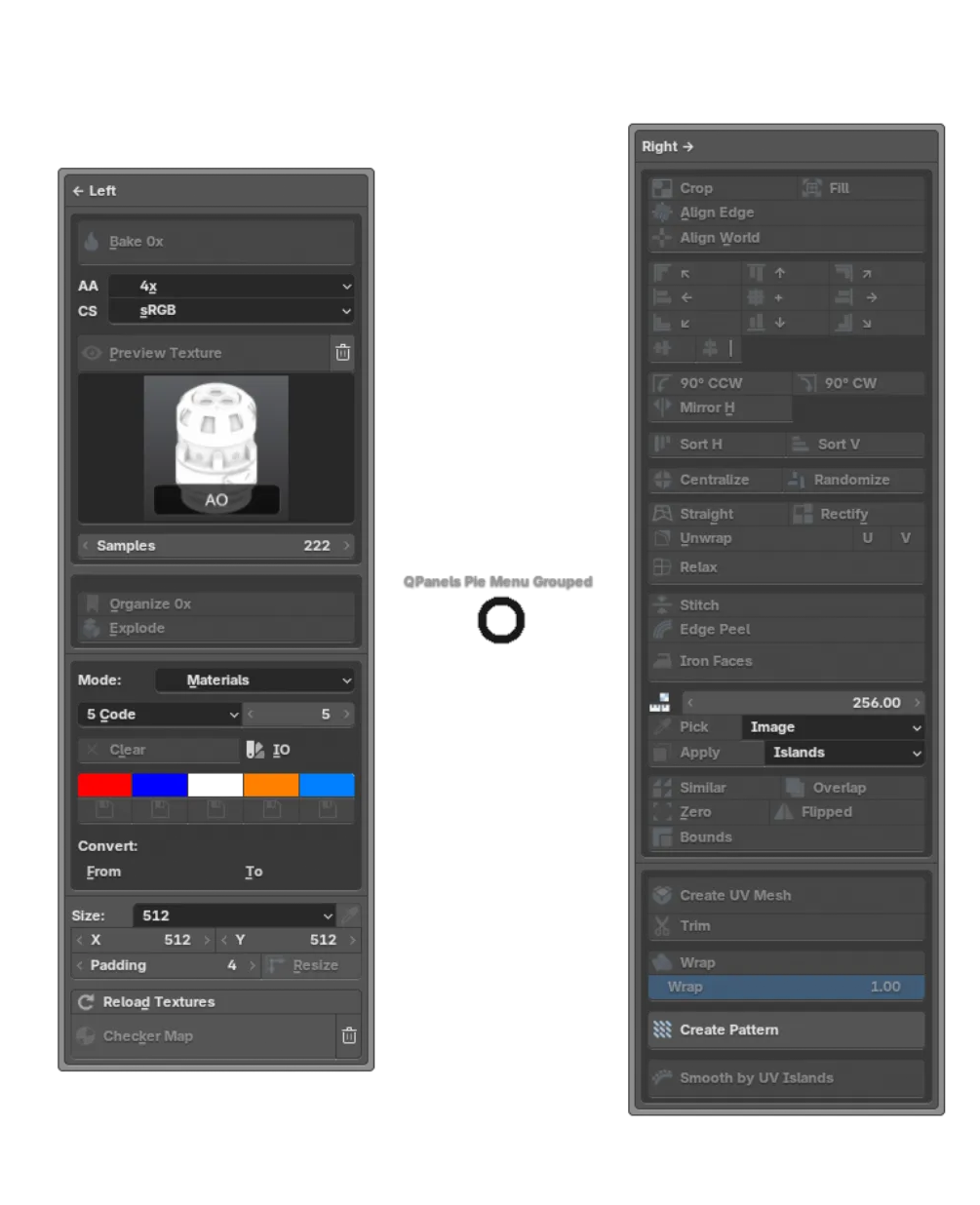
Choose how your panels appear. Standard mode shows a searchable list. Pie Menu gives you radial access to up to 8 panels. Pie Menu Grouped organizes multiple panels per slice with auto-open previews — perfect for complex workflows
MAIN FEATURES
Everything You Need for a Faster Blender Workflow
3 Display Modes
Choose how your panels appear. Standard mode shows a searchable list. Pie Menu gives you radial access to up to 8 panels. Pie Menu Grouped organizes multiple panels per slice with auto-open previews — perfect for complex workflows
MAIN FEATURES
Everything You Need for a Faster Blender Workflow
3 Display Modes
Choose how your panels appear. Standard mode shows a searchable list. Pie Menu gives you radial access to up to 8 panels. Pie Menu Grouped organizes multiple panels per slice with auto-open previews — perfect for complex workflows
Extract Any Panel, Keep One Clean Workspace
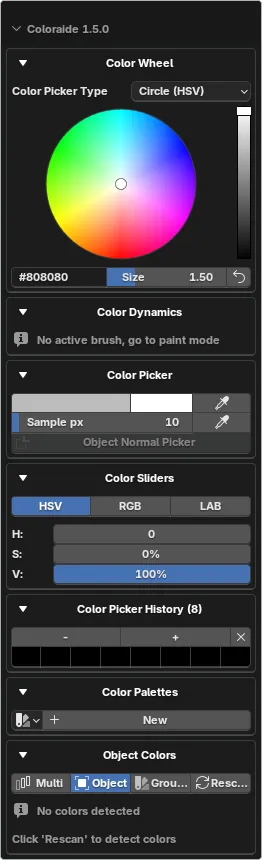
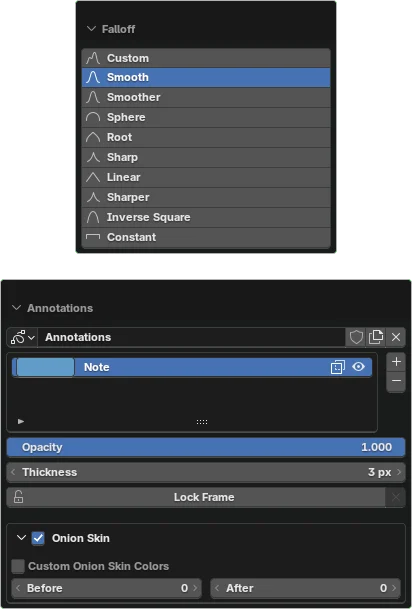
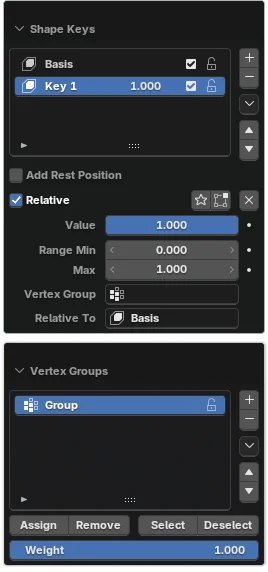
From native Blender panels and menus to installed add-on panels, QPanels brings everything into custom Quick Panels so you can work faster with less visual noise. Access more than 1000 panels and 700 menus with a simple shortcut.
Installed Add-on Panels
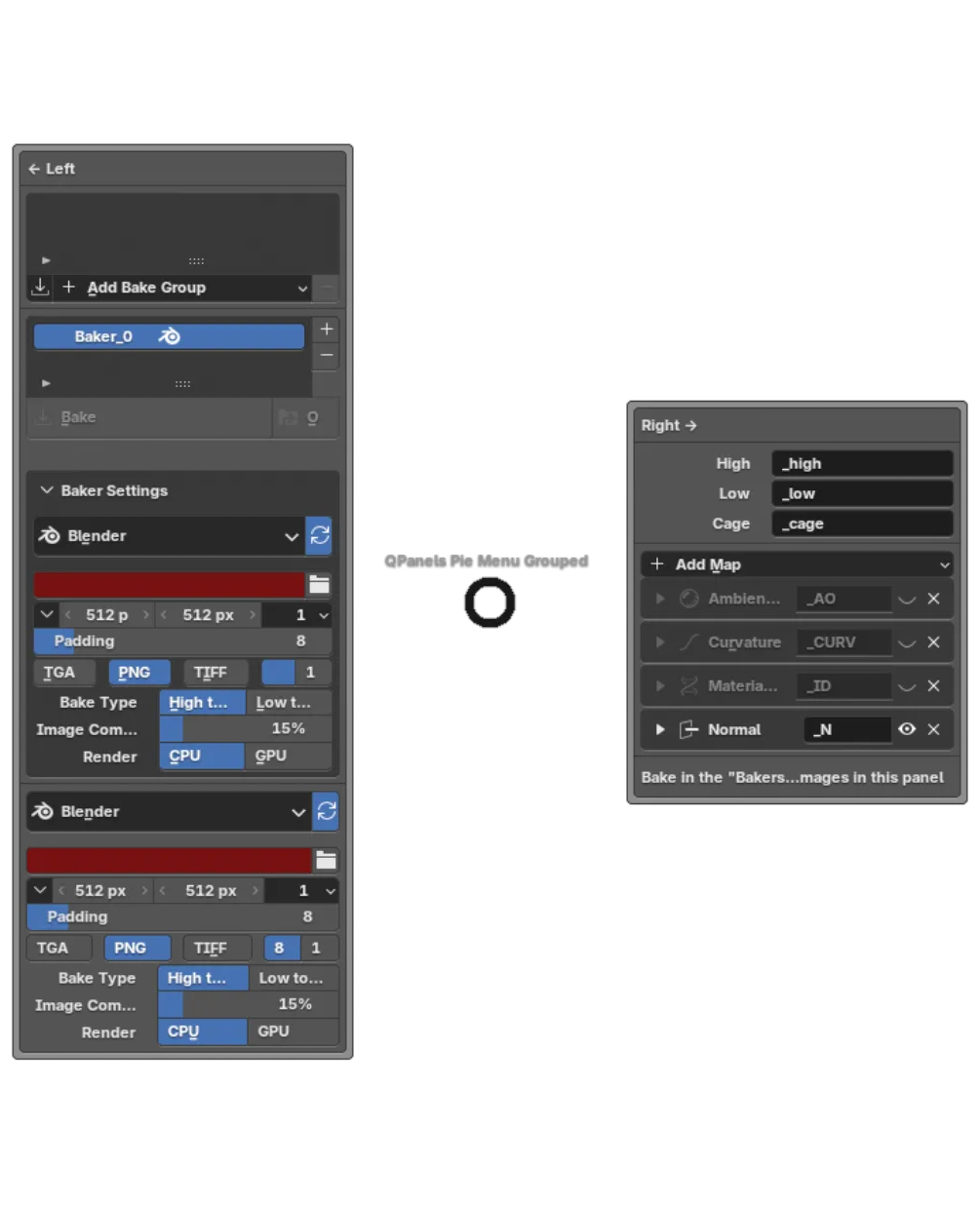
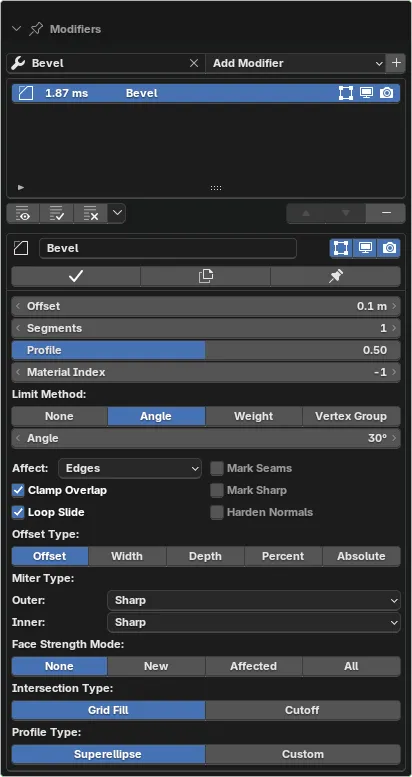
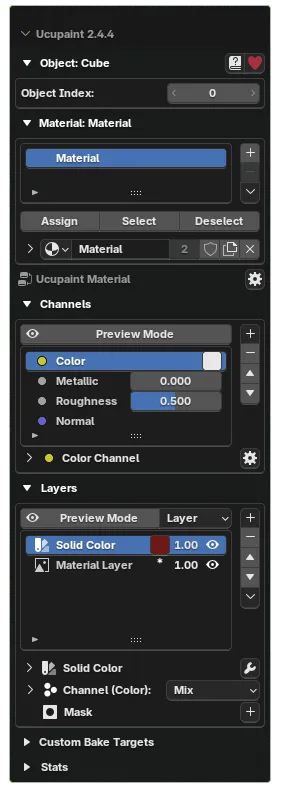
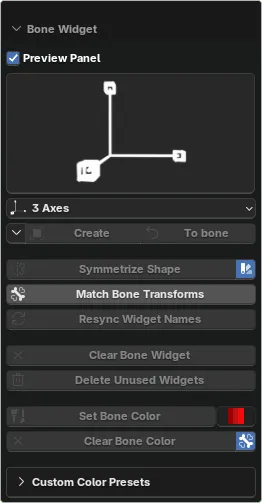
Native Blender Panels
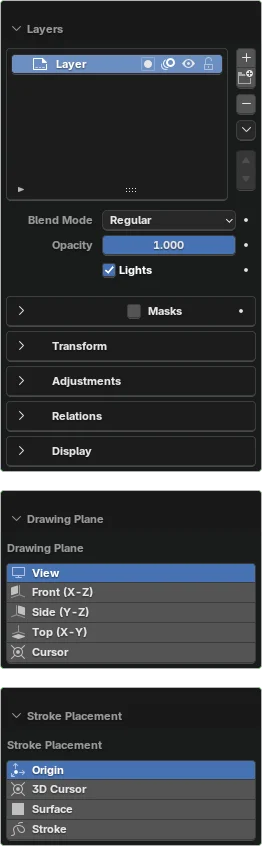
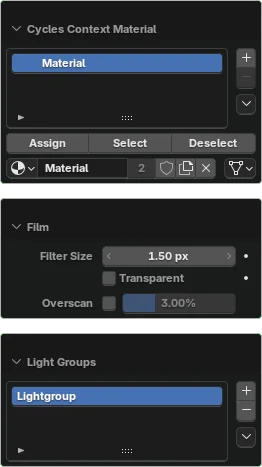
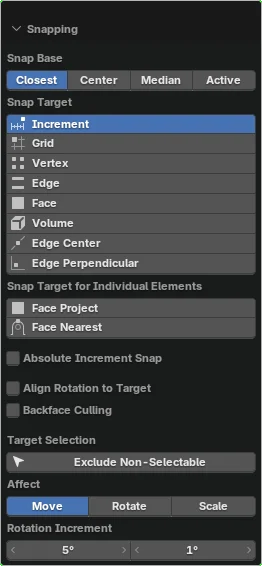
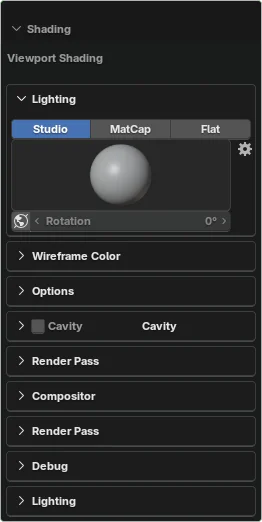
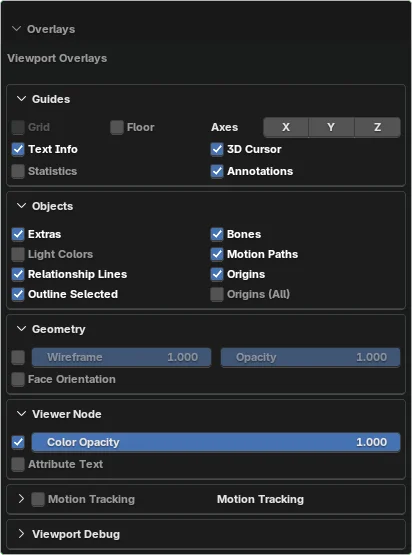
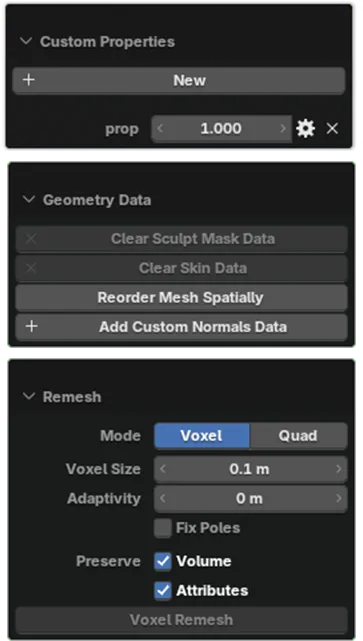
Extract Any Panel, Keep One Clean Workspace
From native Blender panels and menus to installed add-on panels, QPanels brings everything into custom Quick Panels so you can work faster with less visual noise. Access more than 1000 panels and 700 menus with a simple shortcut.
Installed Add-on Panels
Native Blender Panels
Extract Any Panel, Keep One Clean Workspace
From native Blender panels and menus to installed add-on panels, QPanels brings everything into custom Quick Panels so you can work faster with less visual noise. Access more than 1000 panels and 700 menus with a simple shortcut.
Installed Add-on Panels
Native Blender Panels
PRICING
Choose the Perfect Plan for Your Needs
All plans include full access to every QPanels feature and all future updates — including panels, menus, and add-on detection.
The only difference is the number of devices and the trial period.
CREATOR ONLY · 20% OFF (Annual)
Apply the code at checkout to get Creator at €4.79/year (€0.40/month equivalent).
★ Most Popular / €0.50 per month
Creator
Annual | 50% off
€5.99
€11.99
Perfect for single creator and independent freelancers
7 Days Free Trial
2 device activations
All Core Features
Lifetime Updates
Team
Annual | 60% off
€14.39
€35.99
Designed for small studios and collaborative teams.
1 Days Free Trial
6 Devices Activations
All Core Features
Lifetime Updates
Studio
Annual | 70% off
€21.59
€71.99
Built for agencies and production houses.
1 Days Free Trial
12 Devices Activations
All Core Features
Lifetime Updates
PRICING
Choose the Perfect Plan for Your Needs
All plans include full access to every QPanels feature and all future updates — including panels, menus, and add-on detection.
The only difference is the number of devices and the trial period.
CREATOR ONLY · 20% OFF (Annual)
Apply the code at checkout to get Creator at €4.79/year (€0.40/month equivalent).
★ Most Popular / €0.50 per month
Creator
Annual | 50% off
€5.99
€11.99
Perfect for single creator and independent freelancers
7 Days Free Trial
2 device activations
All Core Features
Lifetime Updates
Team
Annual | 60% off
€14.39
€35.99
Designed for small studios and collaborative teams.
1 Days Free Trial
6 Devices Activations
All Core Features
Lifetime Updates
Studio
Annual | 70% off
€21.59
€71.99
Built for agencies and production houses.
1 Days Free Trial
12 Devices Activations
All Core Features
Lifetime Updates
PRICING
Choose the Perfect Plan for Your Needs
All plans include full access to every QPanels feature and all future updates — including panels, menus, and add-on detection.
The only difference is the number of devices and the trial period.
CREATOR ONLY · 20% OFF (Annual)
Apply the code at checkout to get Creator at €4.79/year (€0.40/month equivalent).
★ Most Popular / €0.50 per month
Creator
Annual | 50% off
€5.99
€11.99
Perfect for single creator and independent freelancers
7 Days Free Trial
2 device activations
All Core Features
Lifetime Updates
Team
Annual | 60% off
€14.39
€35.99
Designed for small studios and collaborative teams.
1 Days Free Trial
6 Devices Activations
All Core Features
Lifetime Updates
Studio
Annual | 70% off
€21.59
€71.99
Built for agencies and production houses.
1 Days Free Trial
12 Devices Activations
All Core Features
Lifetime Updates
€0.40/mo
Creator License
For less than a coffee.
1,000+
Blender Panels
Access every native panel and your installed add-ons.
7 Days
Free Trial
Full access, zero commitment cancel anytime.
+200 Users
Already use QPanels
Join a growing community.
€0.40/mo
Creator License
For less than a coffee.
1,000+
Blender Panels
Access every native panel and your installed add-ons.
7 Days
Free Trial
Full access, zero commitment cancel anytime.
+200 Users
Already use QPanels
Join a growing community.
€0.40/mo
Creator License
For less than a coffee.
1,000+
Blender Panels
Access every native panel and your installed add-ons.
7 Days
Free Trial
Full access, zero commitment cancel anytime.
+200 Users
Already use QPanels
Join a growing community.
FAQ & What is Coming!
Frequently Asked Questions
Everything you need to know about QPanels.
How do I install and activate QPanels?
Download the add-on .zip, install it in Blender (Edit > Preferences > Add-ons > Install), enable QPanels, then paste your license key in the License panel. Once activated, all QPanels features are unlocked.
What is your trial, billing, and refund policy?
QPanels includes a free trial so you can evaluate it before purchase. Billing is handled securely via Lemon Squeezy. Refund requests are reviewed according to the official policy and purchase details (please contact support with your order ID).
Which Blender versions are supported?
QPanels is compatible with Blender 3.4 to 5.0. It gives you access to more than 1000 native panels and 700 native menus, and also detects panels from any third-party add-on you have installed. We recommend using a recent stable Blender version for the best experience.
How does licensing work (devices and activation)?
Each purchase provides one license key with an activation limit based on your plan (for example Creator: 2 devices, Team: 6 devices). You can activate QPanels on your allowed devices and manage activations when needed.
What features are coming next?
We are actively improving QPanels with new features. Recent additions include access to more than 700 Blender menus from your shortcuts, alongside the existing 1000+ panels. We continue to build faster access, better organization, and more automation.
FAQ & What is Coming!
Frequently Asked Questions
Everything you need to know about QPanels.
How do I install and activate QPanels?
Download the add-on .zip, install it in Blender (Edit > Preferences > Add-ons > Install), enable QPanels, then paste your license key in the License panel. Once activated, all QPanels features are unlocked.
What is your trial, billing, and refund policy?
QPanels includes a free trial so you can evaluate it before purchase. Billing is handled securely via Lemon Squeezy. Refund requests are reviewed according to the official policy and purchase details (please contact support with your order ID).
Which Blender versions are supported?
QPanels is compatible with Blender 3.4 to 5.0. It gives you access to more than 1000 native panels and 700 native menus, and also detects panels from any third-party add-on you have installed. We recommend using a recent stable Blender version for the best experience.
How does licensing work (devices and activation)?
Each purchase provides one license key with an activation limit based on your plan (for example Creator: 2 devices, Team: 6 devices). You can activate QPanels on your allowed devices and manage activations when needed.
What features are coming next?
We are actively improving QPanels with new features. Recent additions include access to more than 700 Blender menus from your shortcuts, alongside the existing 1000+ panels. We continue to build faster access, better organization, and more automation.
FAQ & What is Coming!
Frequently Asked Questions
Everything you need to know about QPanels.
How do I install and activate QPanels?
Download the add-on .zip, install it in Blender (Edit > Preferences > Add-ons > Install), enable QPanels, then paste your license key in the License panel. Once activated, all QPanels features are unlocked.
What is your trial, billing, and refund policy?
QPanels includes a free trial so you can evaluate it before purchase. Billing is handled securely via Lemon Squeezy. Refund requests are reviewed according to the official policy and purchase details (please contact support with your order ID).
Which Blender versions are supported?
QPanels is compatible with Blender 3.4 to 5.0. It gives you access to more than 1000 native panels and 700 native menus, and also detects panels from any third-party add-on you have installed. We recommend using a recent stable Blender version for the best experience.
How does licensing work (devices and activation)?
Each purchase provides one license key with an activation limit based on your plan (for example Creator: 2 devices, Team: 6 devices). You can activate QPanels on your allowed devices and manage activations when needed.
What features are coming next?
We are actively improving QPanels with new features. Recent additions include access to more than 700 Blender menus from your shortcuts, alongside the existing 1000+ panels. We continue to build faster access, better organization, and more automation.
© 2026 QPanels. All rights reserved.
Et pour les liens qu'il y a normalement dans la barre footer bah du coup je te les redonne là ci dessous pour que tu les remplaces